 Make your pay outlast the month.
Know what you can spend today, and still make it to payday.
WholeMonth takes your salary, takes out your debit orders and savings, and gives you one number for today. No bank login. No spreadsheets.
Founding members get a year of Premium for R299.
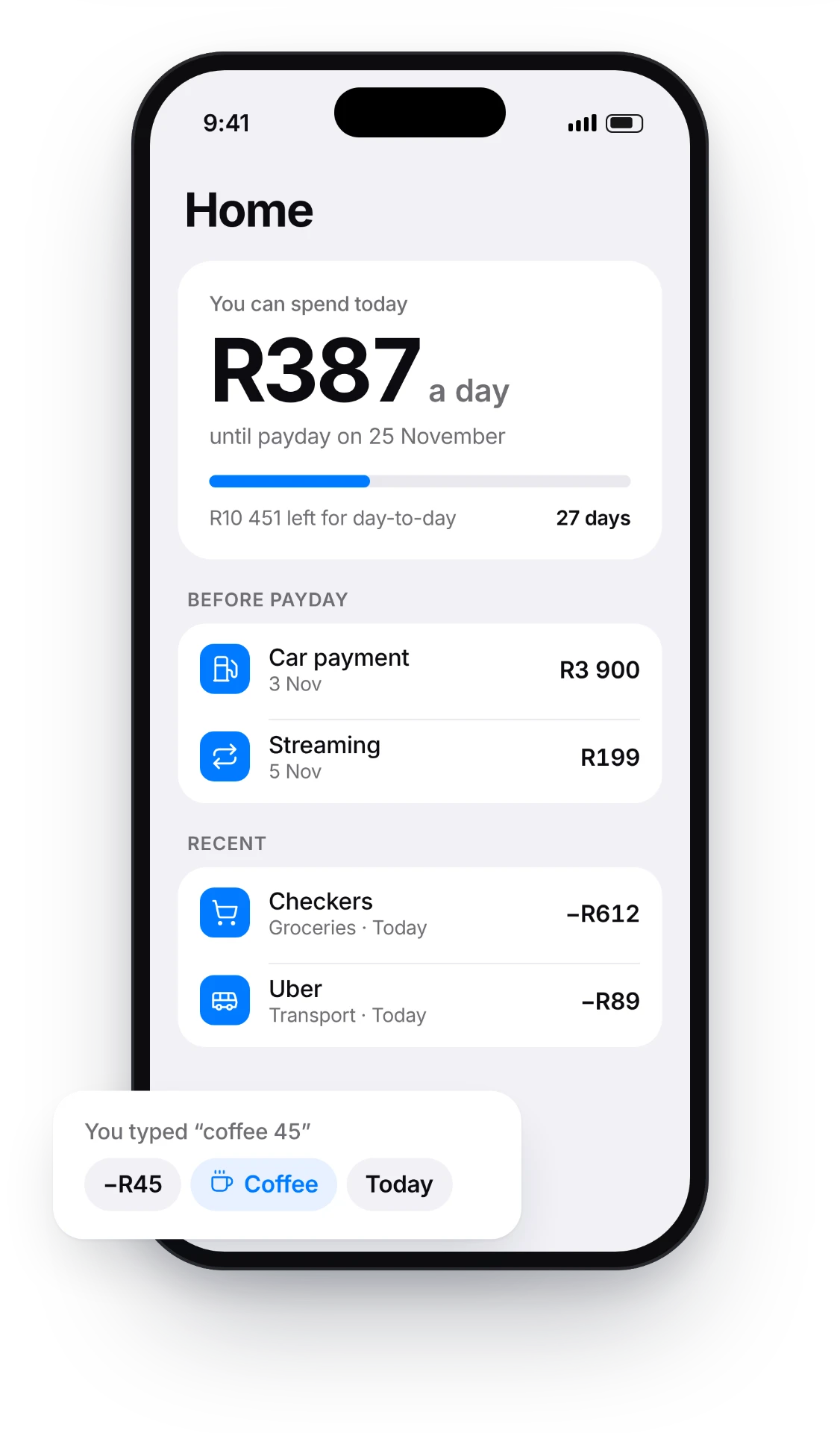
The day before payday shouldn't be scary
Gone by the 15th
Half of salaried South Africans have under R1,000 left, or are in overdraft, the day before payday.
Source: Standard Bank customer data, 2024
Spent before it lands
Debit orders go off on the 1st. What's left has to last 30 days, and nobody tells you what that means per day.
The gap gets filled with credit
When money runs out mid-month, it's the overdraft, the credit card or a payday loan. That's interest on groceries.
Not knowing is expensive
Overdraft interest. Payday loans. Bounced debit order fees. Most of it comes from one thing: not seeing the shortfall until it's already happened. WholeMonth shows you on day 3, not day 23.
How it works
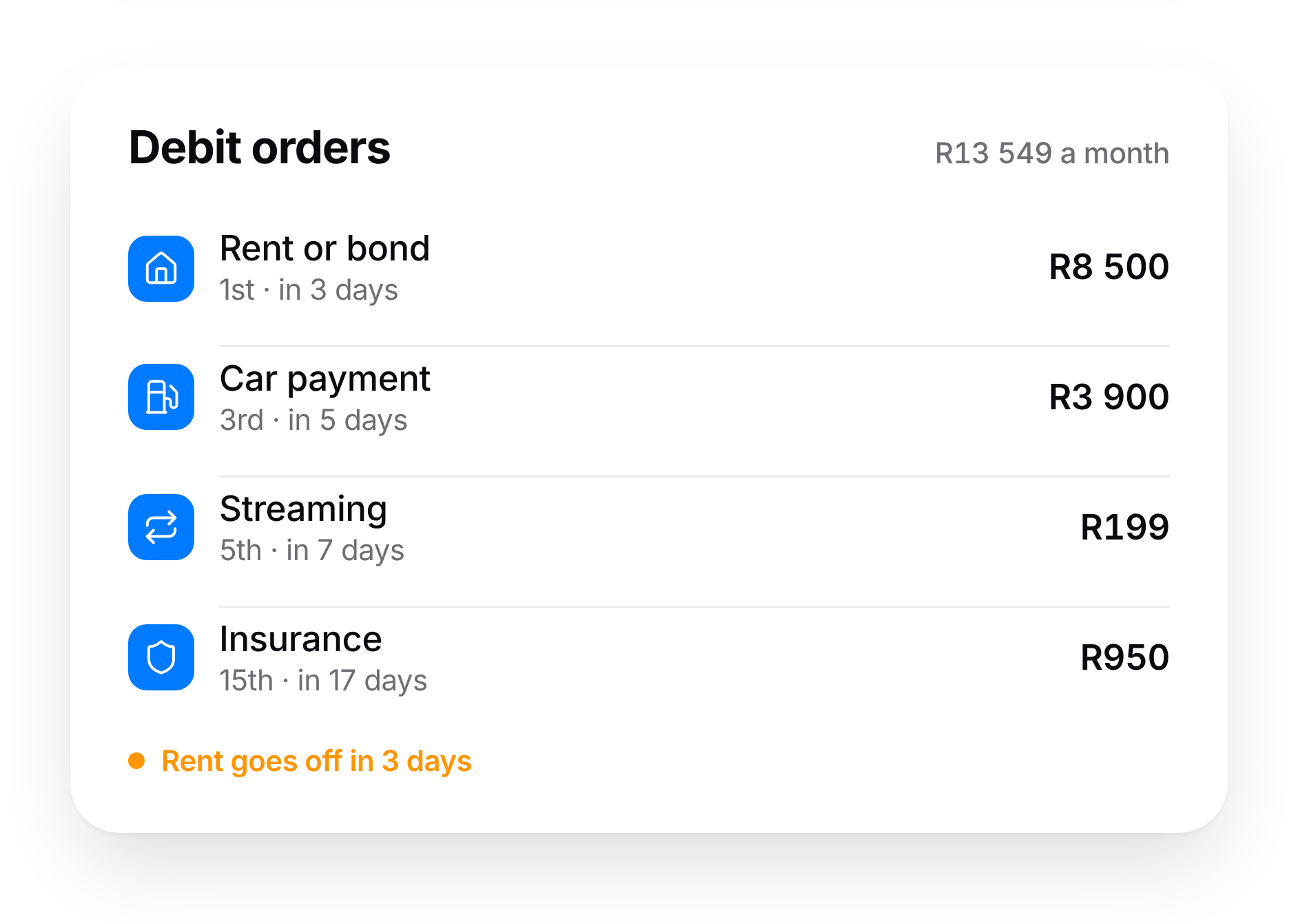
Tell it your payday, salary and debit orders.
Two minutes.
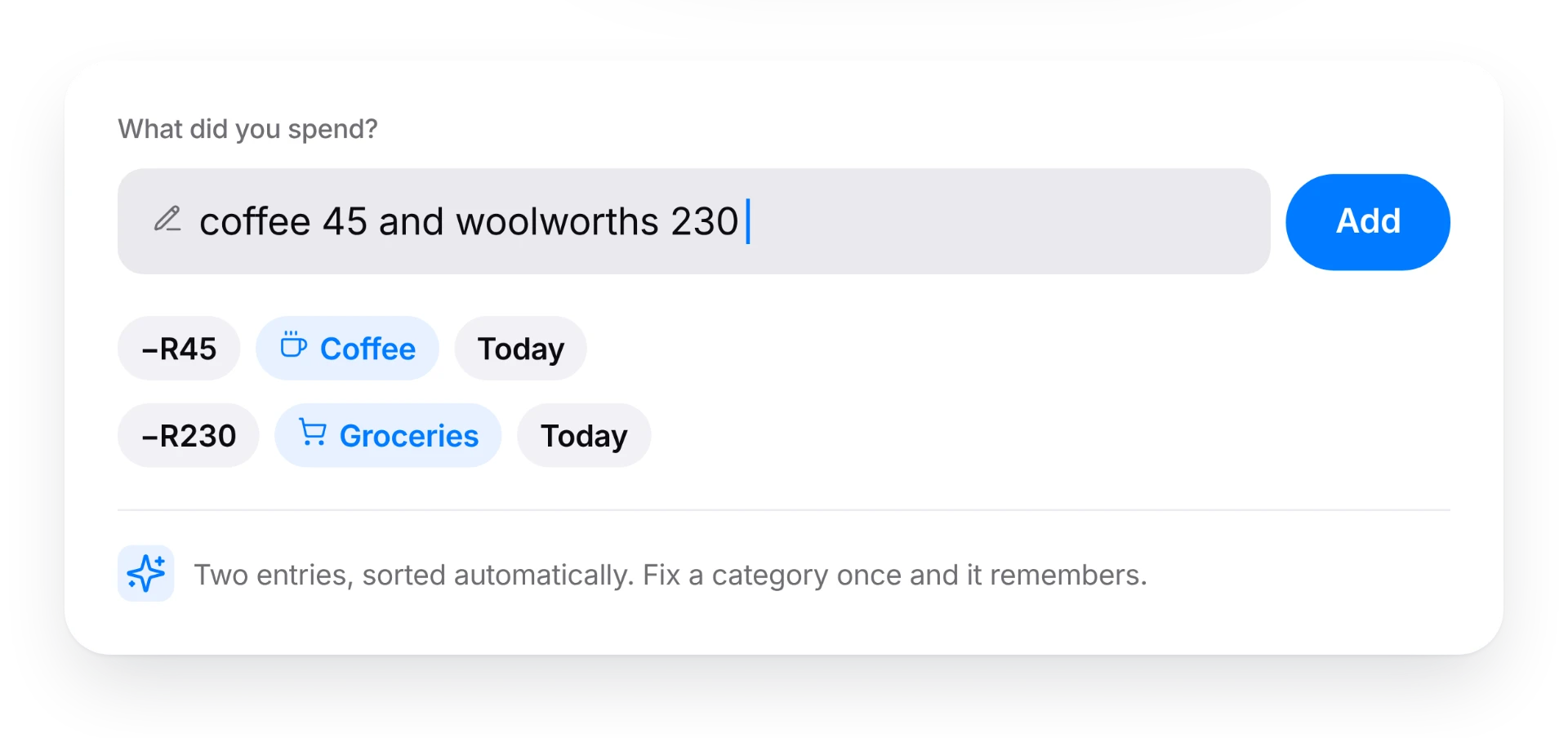
Type what you spend like a message.
“petrol 850” and “pick n pay 430” become two entries, sorted automatically. Fix one, and it remembers.
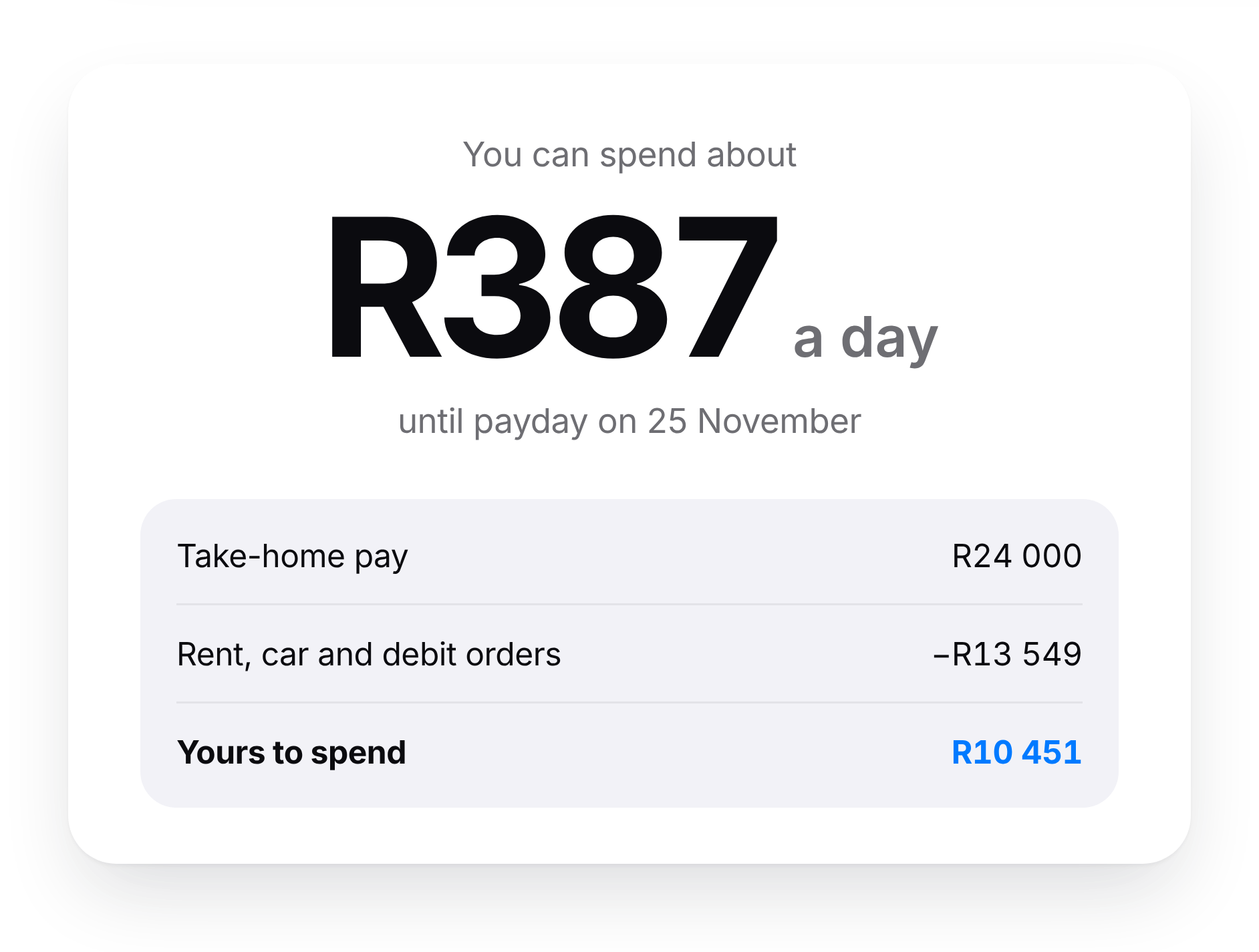
See your daily amount update instantly.
With your debit orders and savings already taken out.
Why it's different
No bank login, ever. Your banking details stay with you.
Built around SA paydays: the 25th, month-end, and Friday when payday falls on a weekend.
Understands Shoprite, Sasol, DStv, Capitec fees: it knows what you mean.
A free plan that actually works, not a trial in disguise.
Save without thinking about it.
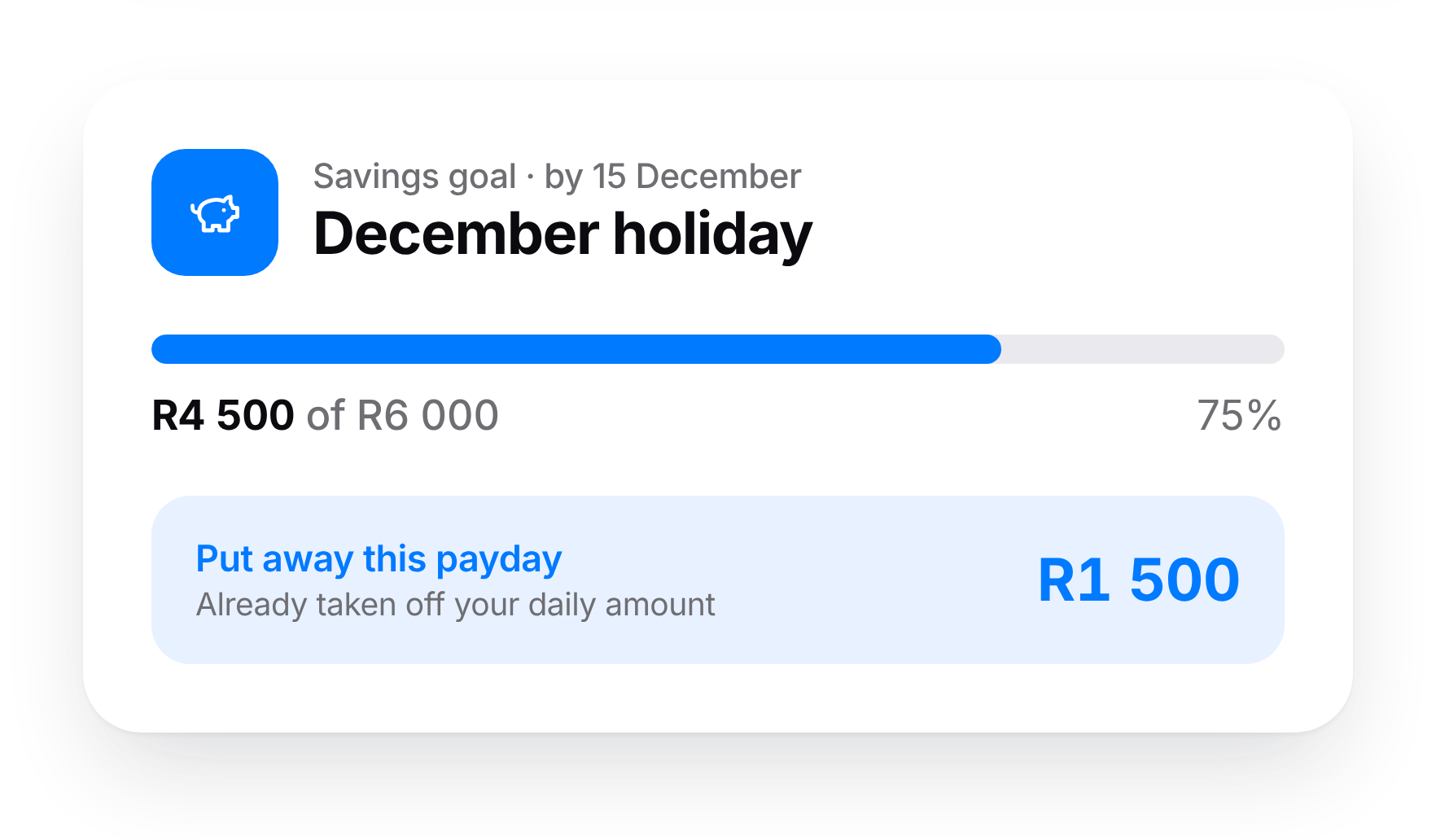
Set a goal and a date, and we work out what to put away each payday. That money comes off your daily amount, so you don’t spend it by accident.
December pay. January bills. 42 days in between.
December salaries come early and January feels endless. WholeMonth spreads your December pay across every day until your January payday, so you don’t find out on the 10th of January.
Why we built this
We tried the big budgeting apps. They wanted our banking login, got our categories wrong, and the free versions did nothing useful. So we built the one we wanted: simple, built around payday, and it never touches your bank account.
Simple pricing, in rand.
Free
R0
forever
- ✓Payday-based months
- ✓Daily spending amount
- ✓Up to 5 debit orders
- ✓1 savings goal
- ✓Automatic categories
Premium
RecommendedR59
/month · or R499/year
- ✓Everything in Free
- ✓Bank statement import (FNB, Capitec and Standard Bank, with Absa and Nedbank coming soon)
- ✓Payday forecast
- ✓Unlimited savings goals and debit orders
- ✓Full history
Household
R89
/month · or R749/year
- ✓Everything in Premium
- ✓For two people with a shared budget
The price you see is the price you pay. Cancel any time.
Questions
How is this different from other budget apps?
Most budget apps show you what you’ve already spent. WholeMonth tells you what you can still spend today. It takes your salary, takes out your debit orders and savings, and divides what’s left by the days until payday. It runs on your payday, not the calendar month, and you never give it your bank login.
Do I need to link my bank account?
No. You type what you spend, like a message: “petrol 850” or “pick n pay 430”. It takes about five seconds, and it means no app ever holds your banking login.
Isn’t typing every purchase a hassle?
Less than you’d think. Your debit orders are added once and handled automatically every month, so you only log day-to-day spending. For most people that’s a few entries a day.
Where is my data stored, and who can see it?
Your data is stored on servers in London, encrypted while it’s sent and while it’s stored. Only you can see your account; our team doesn’t browse it. We don’t sell it, share it with advertisers, or sell you loans or insurance.
Can I delete everything?
Yes. Delete your account in settings and your data is permanently removed. You can also export your transactions to a spreadsheet at any time.
What if I’m paid on the 25th, or payday falls on a weekend?
You pick your payday when you sign up. If it lands on a Saturday or Sunday, WholeMonth knows you’re paid on the Friday before and adjusts your daily amount.
I’m halfway through the month. Can I start now?
Yes. Tell it roughly how much is left in your account and it works out your daily amount from today.
What does it cost, and can I cancel?
Free stays free: daily amount, up to 5 debit orders, one savings goal and 3 months of history. Premium is R59 a month or R499 a year. There’s no contract; cancel anytime and you drop back to Free without losing your data.
Make it to payday this month.
Early access opens in December. Free to start.